Use API schema browser
Overview
This documentation provides guidance on how to explore and use our API Schemas.
The schema defines our APIs using the OpenAPI Specification versions 3.0.2, 3.0.3, and 3.1.0. Each API is provided as a single, self-contained YAML specification for improved readability and ease of use. You can use the schema to understand the available API endpoints, request and response structures, authentication methods, and other implementation details.
Search and browse for schemas
To navigate to the Lending API schema, follow these steps:
- Go to the API Schemas page.
- Select Lending.
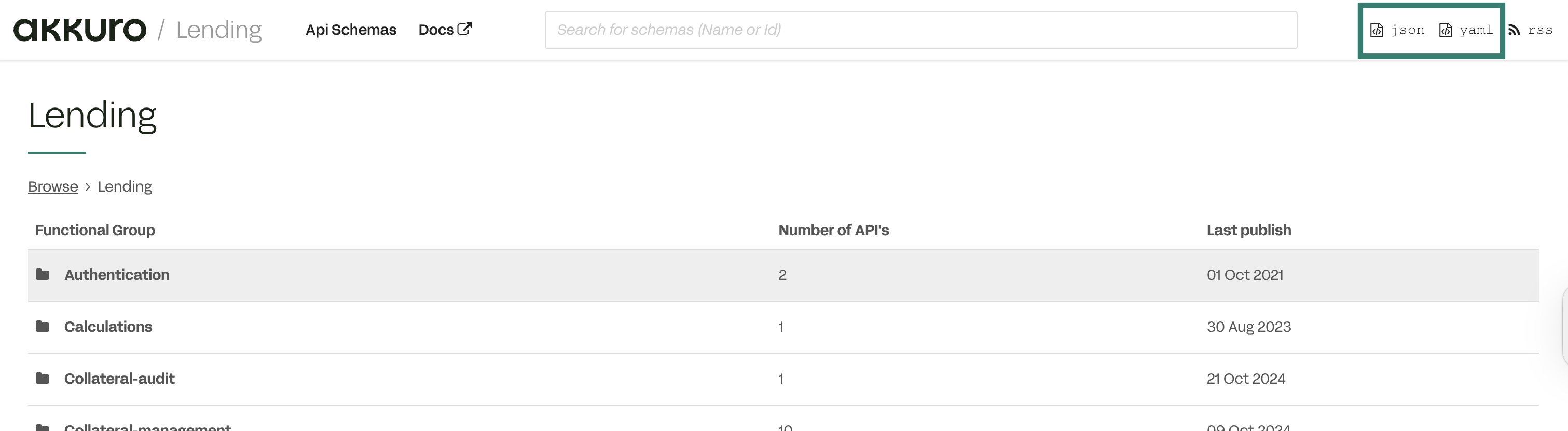
- On the Lending API schema page, you can:
- Search for a schema by API name or ID. See this section.
- View all available API functional groups. For each functional group, you can see the number of APIs and the latest published date. Select a functional group to find the API you need. See this section.
Search for schemas
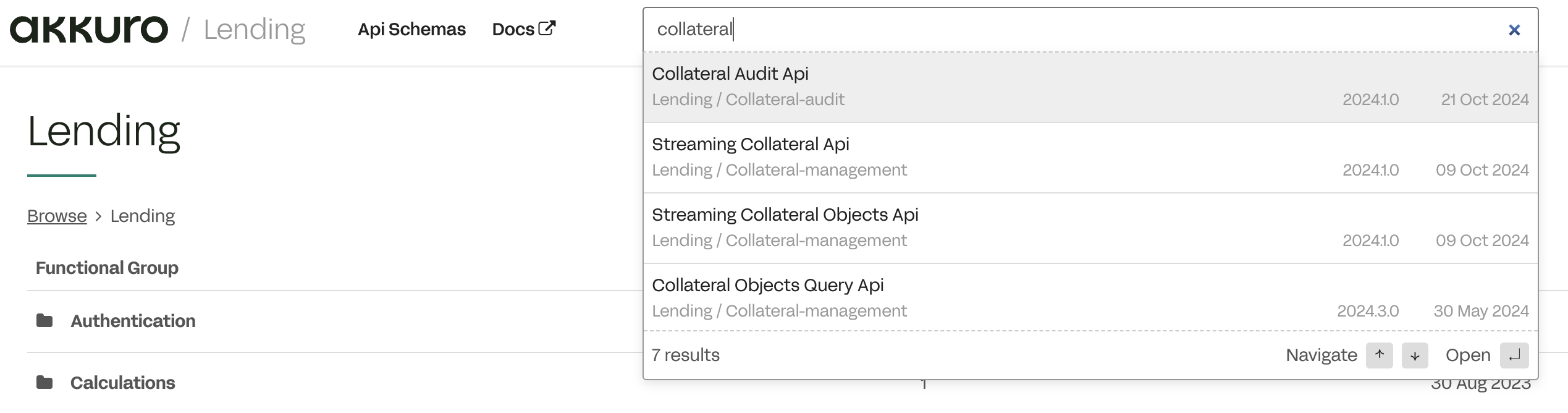
Search for schemas by API name, ID, or keyword. Use the arrow keys to navigate and press Enter to open a schema.
Browse for schemas
Follow these steps to browse for schemas:
-
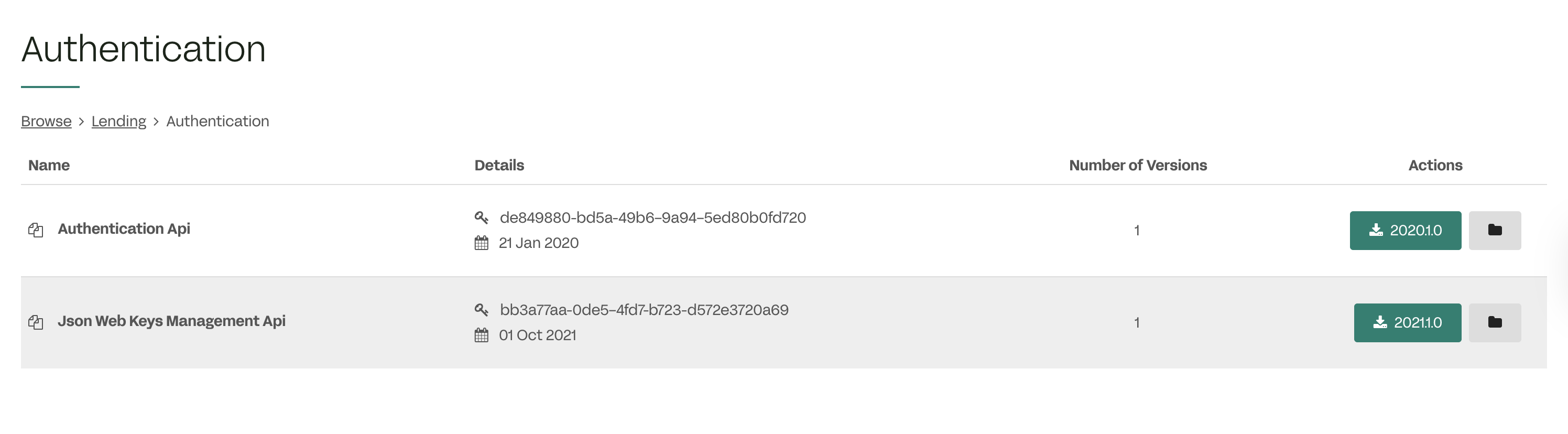
On the Lending API schema page, locate and select a functional group. For example, select Authentication.
A list of all supported APIs appears, each with the following details:
- Name: The name of the API.
- Details: The API’s unique identifier and latest published date. This identifier remains unchanged across versions.
- Number of versions: The number of supported versions.
- Actions: Options to download the specification or view the API details.
-
Locate and select the API you want.
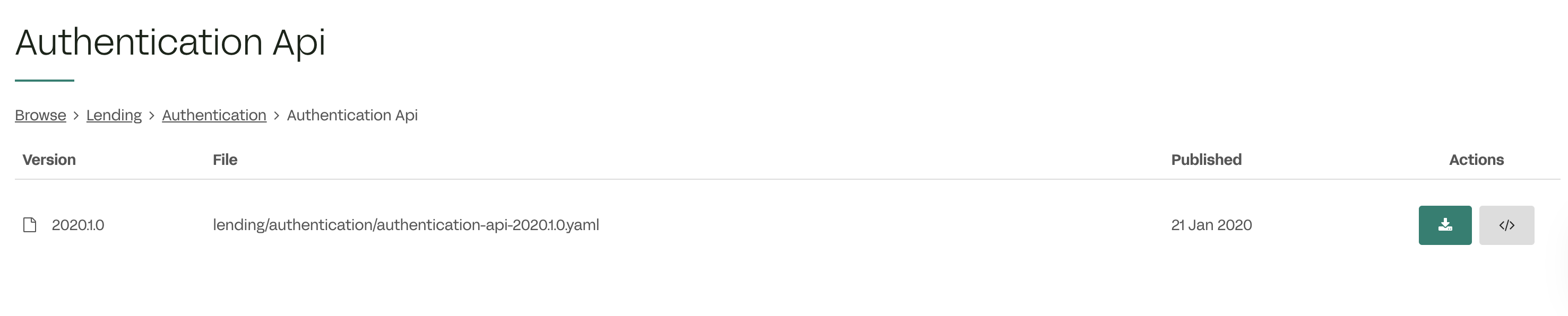
A list of available API versions appears with all available versions. Each version includes the following information:
- Version: The API version. See this section to learn more about version format details.
- File: The available specification file format.
- Published: The published date of the version.
- Actions: Options to download the specification or view the documentation.
-
Select a version to open its version detail page.
Explore the API version detail page
View API documentation
The Documentation tab provides a user-friendly API guide that explains how to interact with the API.
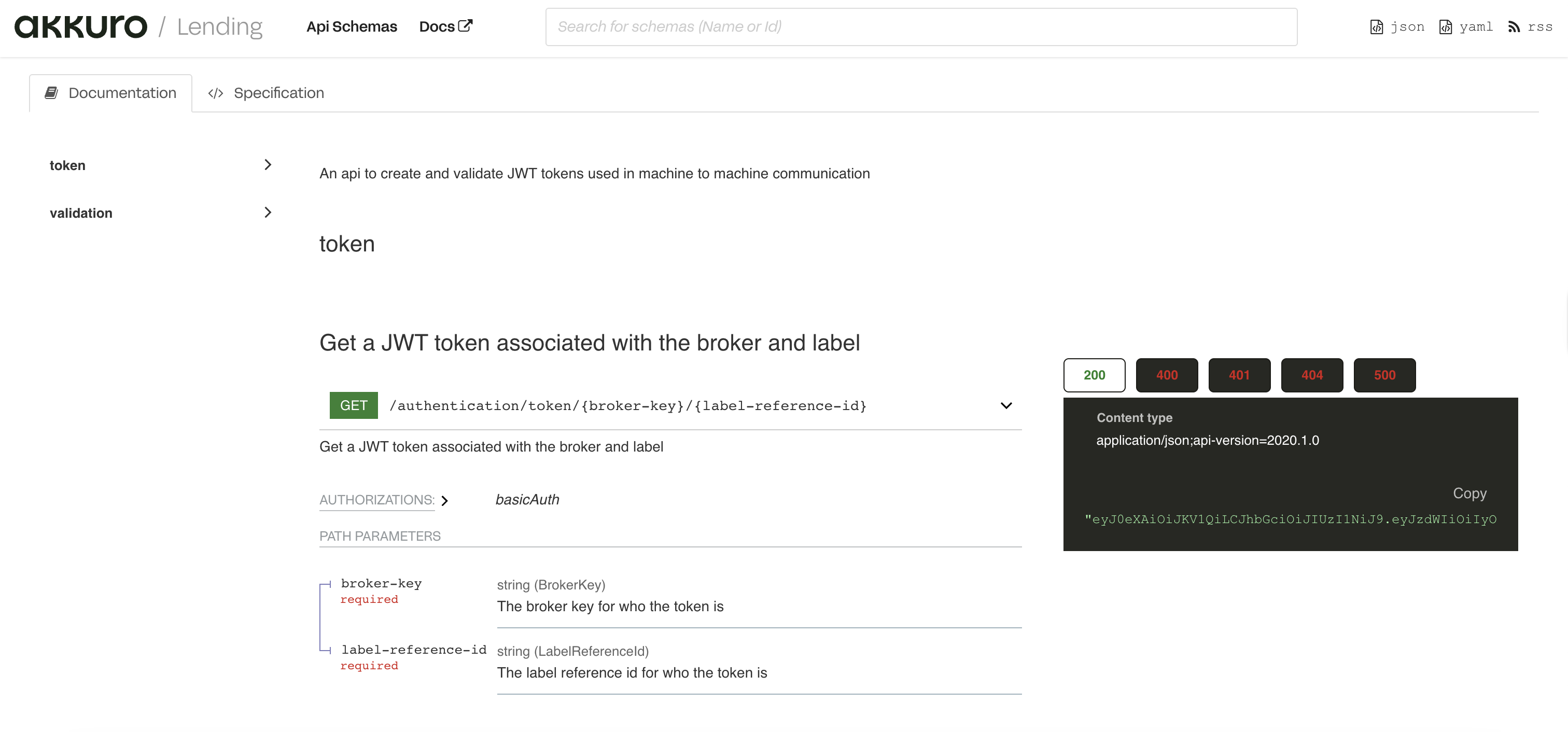
View specification in YAML format
The Specification tab provides the API specification in YAML format, which describes how the API works.
Download the API specification for a specific API in YAML format by selecting the green Download Specification button. You can then use it with tools like Postman, SwaggerHub, or others to test APIs, set up mock servers, generate client or server code, and accelerate backend development.
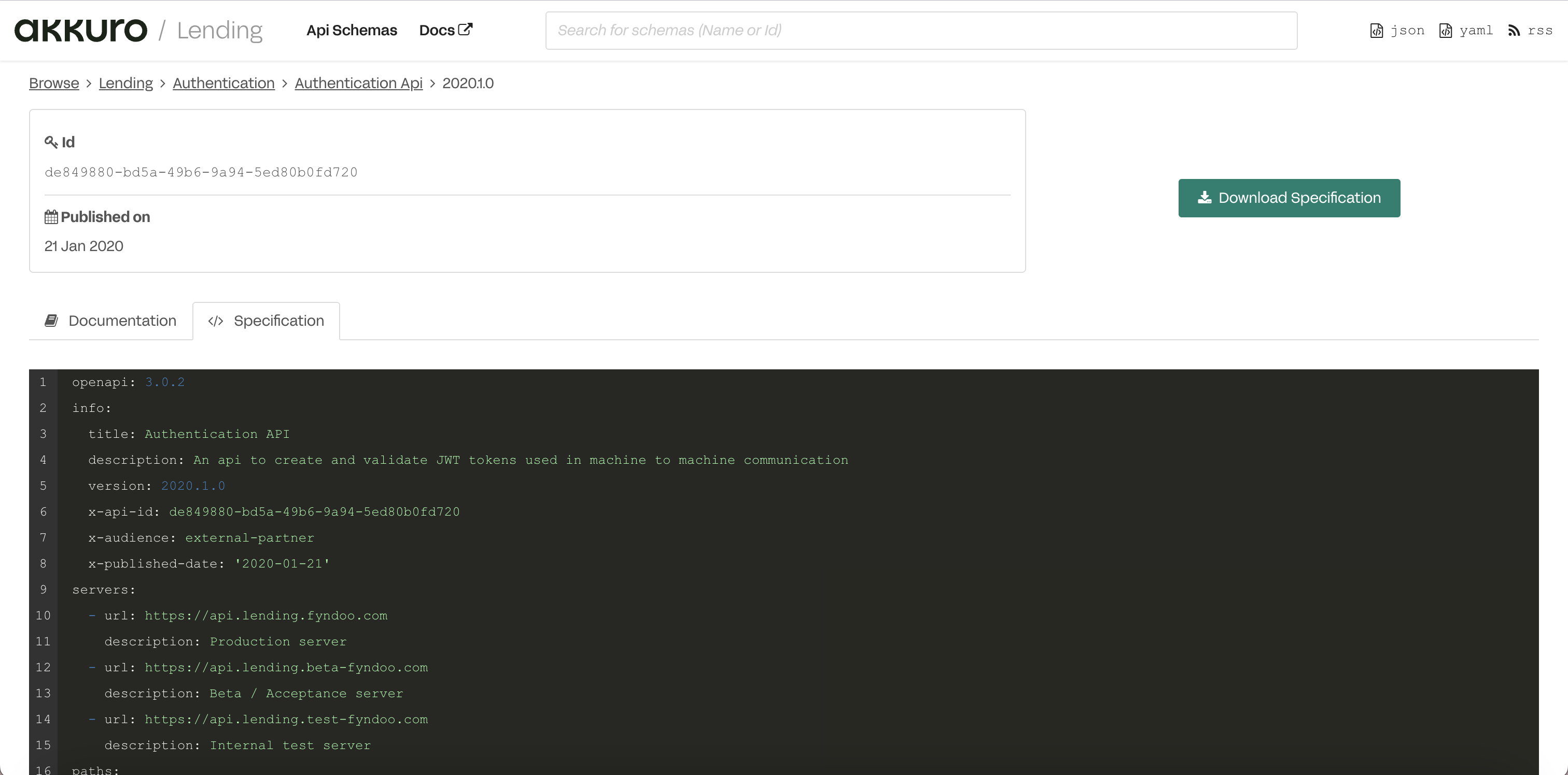
Compare versions and spot changes
For APIs with multiple versions, the Changes tab helps you compare and identify differences between the new version and the older version. This helps you easily track changes and decide whether to use the new version or not.
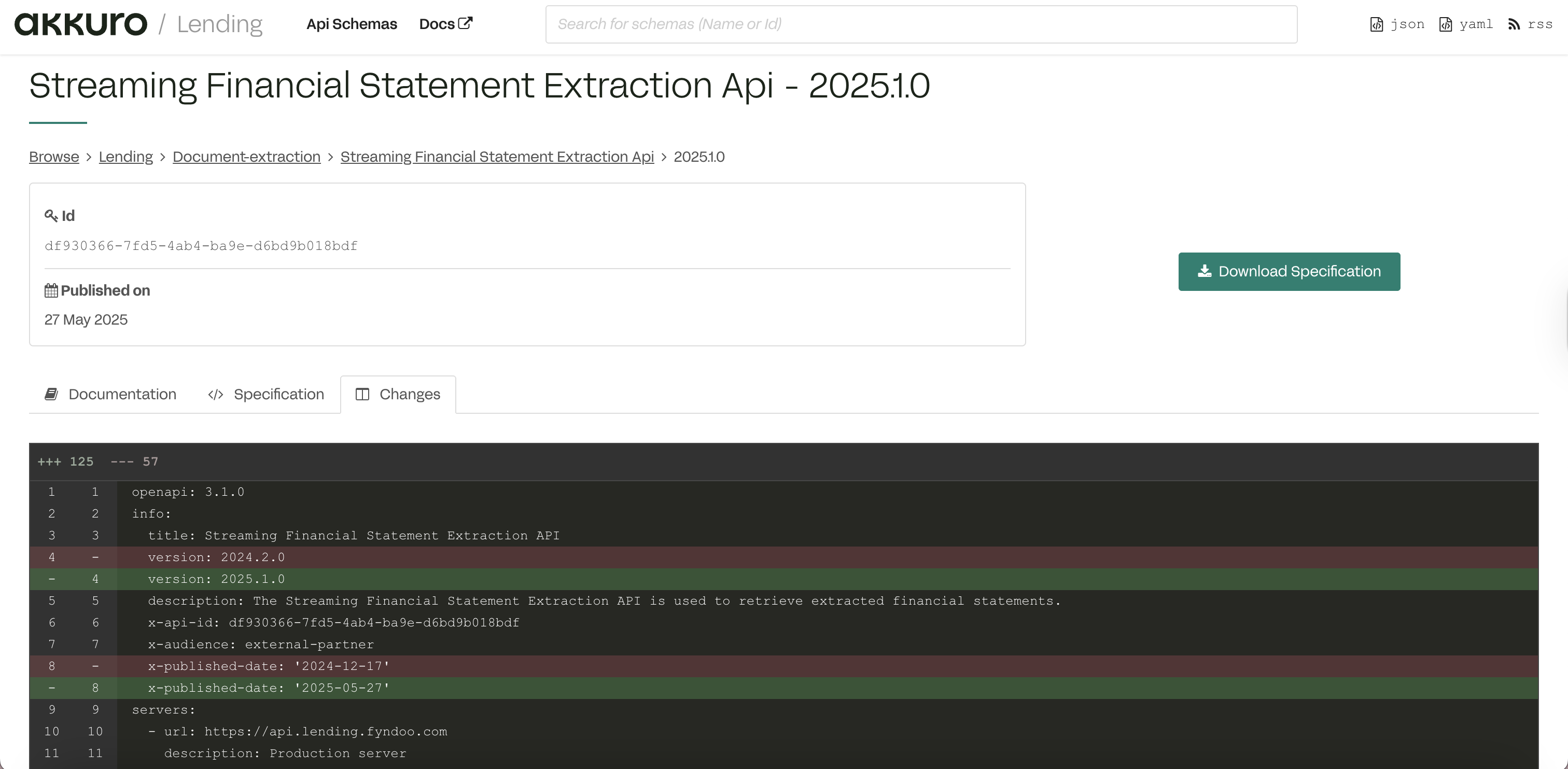
View API version end-of-life dates
The end-of-life date for each API version indicates when that version is no longer supported and will be removed entirely. You need to upgrade to a supported API version before the current version you use reaches its end-of-life date.
- To upgrade to a new API version, specify the new API version in your requests. You'll also need to check if your integration works as expected with the new version, or make any necessary changes to ensure compatibility.
- Refer to API versioning to learn how to specify an API version.
We recommend tracking version lifecycles to ensure a smooth integration without any issues. You can do the following:
-
Check the
x-eol-datein the specification:x-eol-date: '2025-02-28' -
In the API schema browser, a message will inform you when a version reaches its end-of-life date and suggest updating to a supported API version.
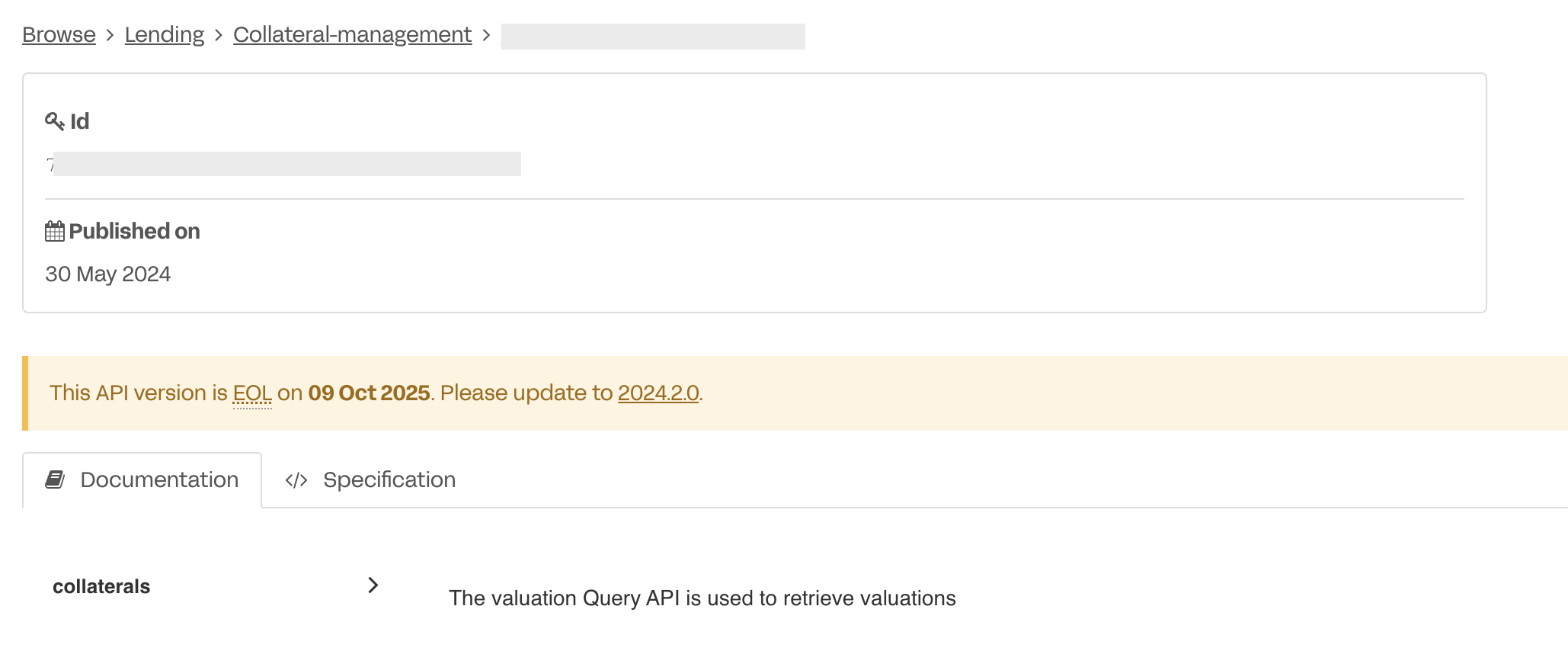
-
You can also use the index file or RSS feed to set up monitoring for deprecation notices and other updates. To learn how to do so, see this section.
Draft versions
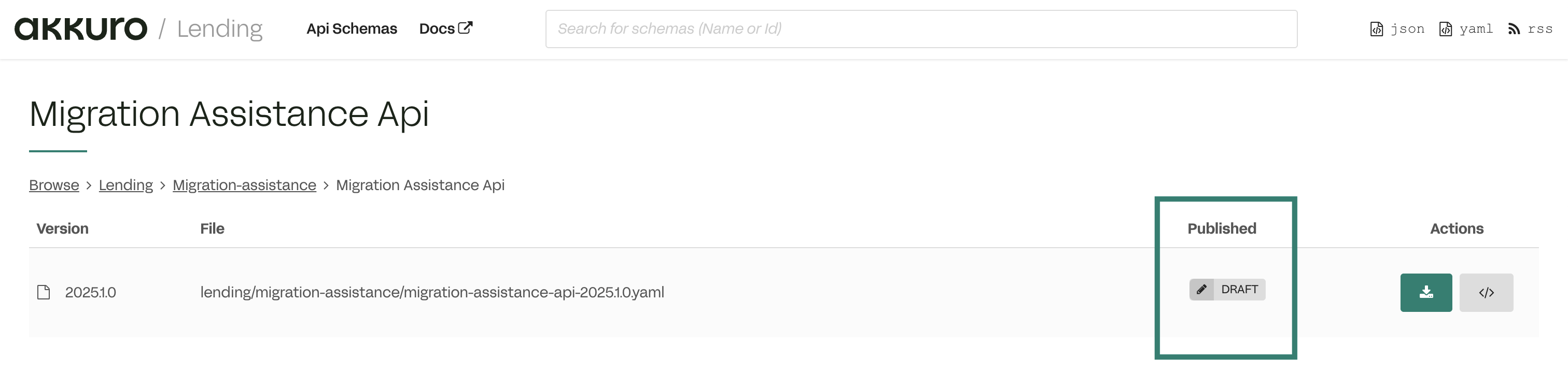
Some API versions are marked as Draft to indicate that they are a work in progress and not yet finalized for use. Akkuro Lending shares early versions of APIs for early preview before officially releasing them.
These draft versions are for preview only and have not been implemented. They should not be used for testing in any environment.
In the API schema browser, draft versions are labeled clearly with a Draft badge as below:
Track changes to API schemas
Use RSS Feed
The RSS (Really Simple Syndication) feed is a standard XML-based web feed that enables automatic tracking of updates to the API schema. This feed includes API updates for the following events:
- A new schema is published
- A draft schema is available
- A schema reaches end-of-life (deprecated or retired)
The feed allows you to receive automatic notifications through any standard RSS reader. To subscribe to the schema feed, do as follows:
-
Get an RSS reader. For example, Outlook, RSS Feed Reader, RSS browser extensions, or other apps.
-
Paste this RSS feed URL into your RSS reader's subscription field:
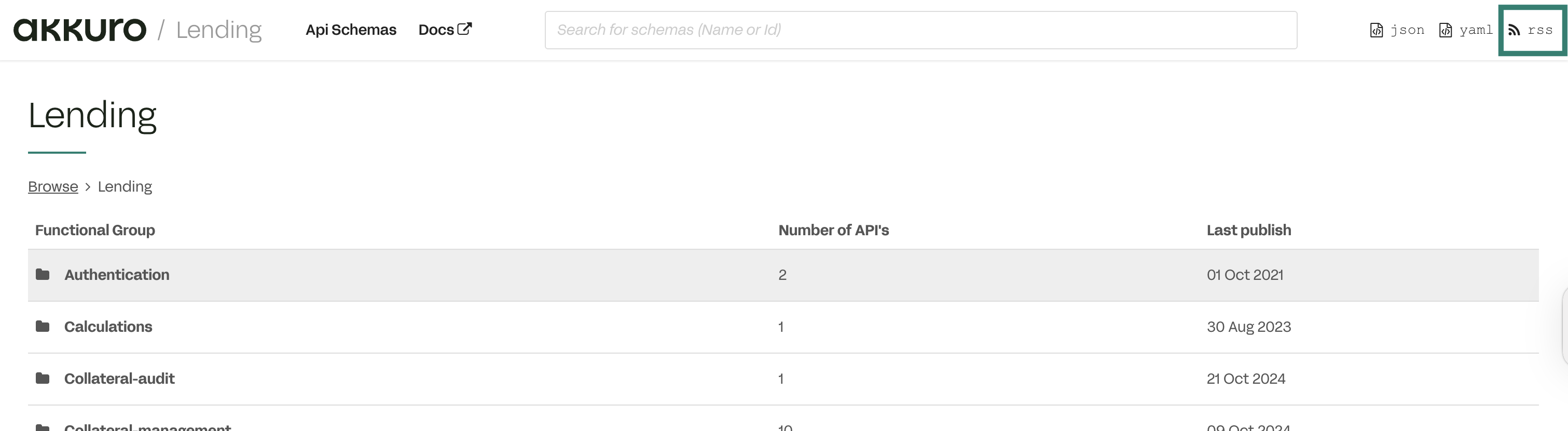
https://schemas.lending.akkuro.com/openapi/feed.rssYou can also select RSS in the top-right corner of the Lending API schema page to get the URL.
Result
Once you've subscribed to our feed, you can get notifications for the latest schema changes. The RSS feed allows you to monitor changes across all API schemas.
You can also filter by API domains or product to quickly find the schema you need.
Use API index files
The index file is a machine-readable catalog of all available APIs. It lists each API module along with its unique ID, domain, available versions, and links to the corresponding specification files.
The file is available in two formats: JSON and YAML. You can parse index.json or index.yaml using any programming language that supports these formats to render all supported APIs, making it easier to manage and track versioning.
You can find the file in the top-right corner of the Lending API schema page: